AI CBT Companion: A Supportive Chat for Anxious Thoughts
A supportive chat that uses CBT to help you work through anxious thoughts. Self-help you can talk to — not a person, and not care.
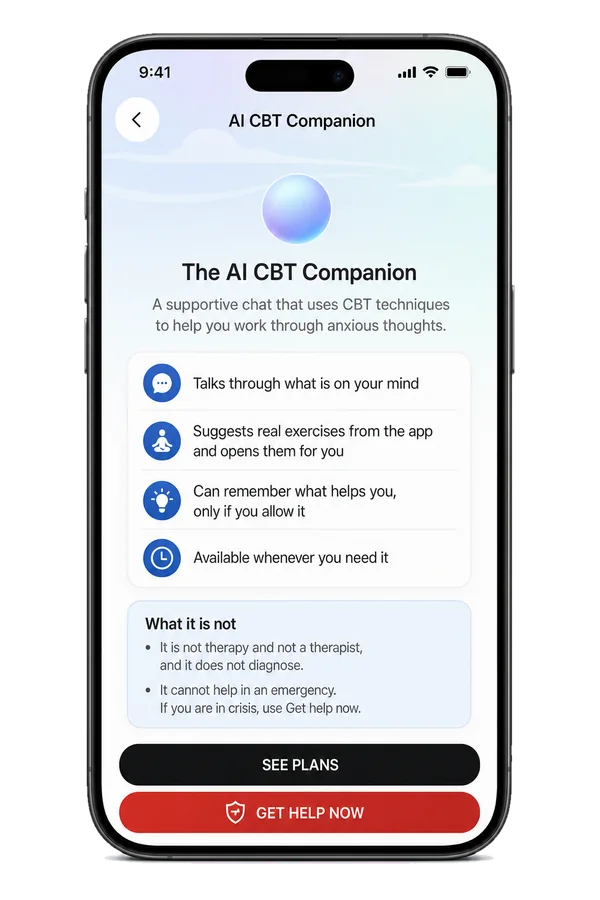
- Talks through what’s on your mind
- Suggests real exercises from the app and opens them for you
- Remembers what helps only if you allow it


Not an emergency service. Get help now
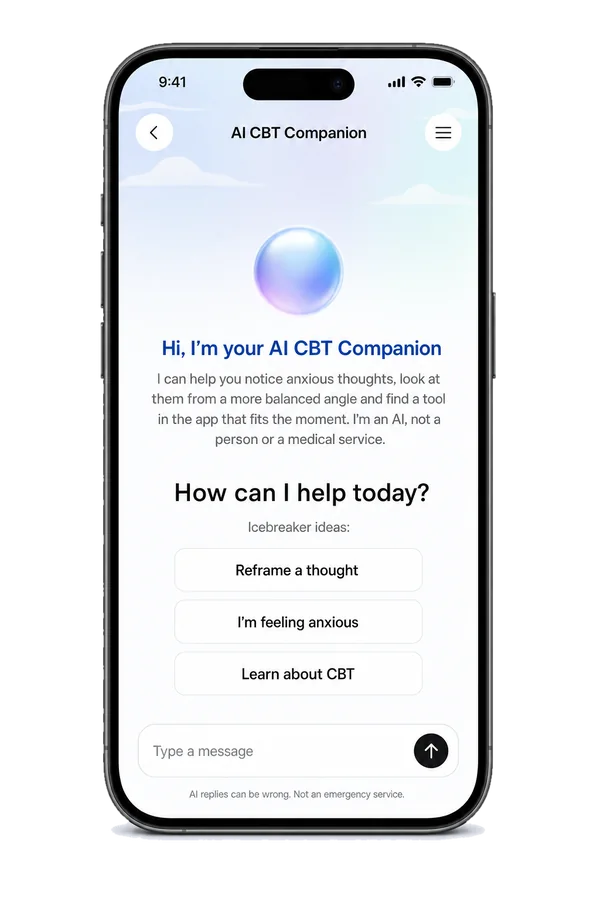
A supportive chat, built on CBT
The AI Companion is a chat inside the Anxiety Checklist app. You tell it what is going on, and it replies using techniques from Cognitive Behavioral Therapy (CBT) — the approach with the strongest evidence behind it for anxiety.
Its job is small and specific: help you slow a spiraling thought down, look at it properly, and decide what to do next. It is the CBT exercises you already have in the app, with someone to walk through them with.
How it works
Tap AI Companion
It’s in the bottom bar on Home.
Read “Before you start”
A short screen on what it can and can’t do.
“Hi, I’m your AI CBT Companion”
Type what’s on your mind, or tap a starter: “Reframe a thought”, “I’m feeling anxious” or “Learn about CBT”.
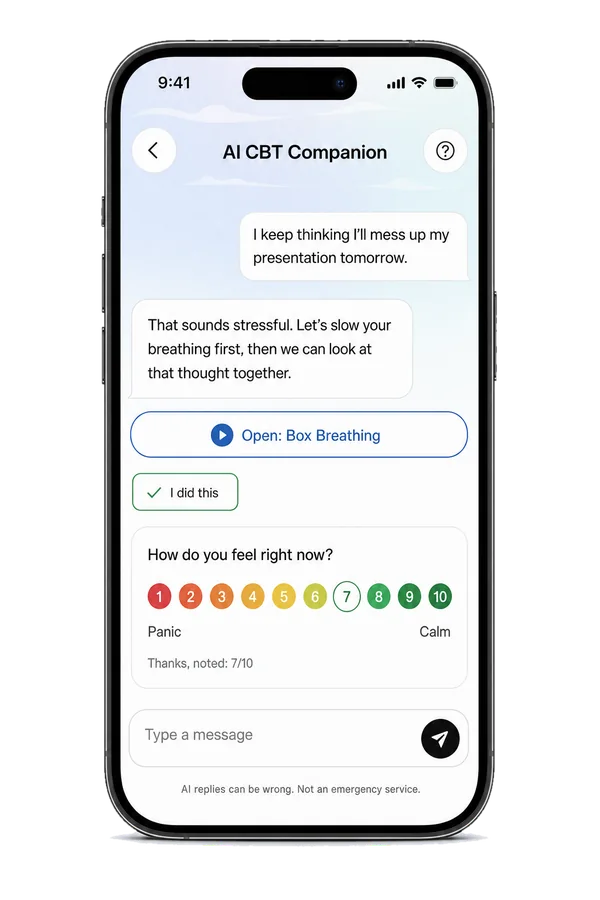
Talk it through
It asks one question at a time, at your pace.
Try a suggested exercise
If an exercise fits better, a card opens it for you. Tap “I did this” when you’re done.
Check in
It may ask, “How do you feel right now?”
New: Voice Mode
Sometimes typing is too much. Tap “Talk instead of typing” and say it out loud. The companion listens, answers out loud, and everything you say appears in the chat too.
- It waits for you: “Take your time. I’ll answer when you pause.”
- Tap the circle to send now, pause, or interrupt it
- If you might be in danger, it stops and points you to help right away

What it does
It talks through what is on your mind
Write the worry the way it actually sounds in your head — half-finished, repetitive, unreasonable. The Companion asks the kind of questions a CBT workbook asks: what exactly are you predicting, how likely is it really, what would you tell a friend who said this. One question at a time, at your pace.
It suggests real exercises, and opens them for you
When more talking will not help, it says so. If a breathing exercise, a grounding technique, a thought journal or a belief experiment fits the moment better, it points you to that exercise and opens it for you inside the app.
It can remember what helps you — only if you allow it
Memory is off until you switch it on. With it on, the Companion can remember which exercises worked for you before, so you do not have to explain yourself from scratch every time. You can see what it has kept and delete it whenever you want.
It is there whenever you need it
Three in the morning, a corridor at work, the queue at an airport. There is no appointment to book, and it does not get tired of the same worry coming round again.


Why a CBT chat can help
When a worry loops, it’s hard to step outside it on your own. A few CBT-style questions can slow the loop down and help you see the thought more clearly.
And sometimes talking isn’t what you need. That’s why it points you to a real exercise instead of keeping you in the chat.

Where its limits are

What it is
- A supportive chat inside the Anxiety Checklist app.
- A self-help tool that uses techniques drawn from Cognitive Behavioral Therapy.
- Something that can sit alongside therapy — many people use it between sessions.
- A way to reach the CBT exercises already in the app, with someone to walk through them with.

What it is not
- It is not therapy, and it is not a therapist.
- It does not diagnose you. It cannot tell you whether you have an anxiety disorder, and it will not try.
- It is not a replacement for a qualified professional. If anxiety is affecting your work, your relationships or your health, please talk to one.
- It is not a medical device and it gives no medical advice.

It cannot help in an emergency
If you are in crisis, or you think you or anyone else may be in danger, do not use the AI Companion. It is not built for emergencies and it cannot reach anyone on your behalf. Go to Get help now for immediate support, or call your local emergency number.
Get help now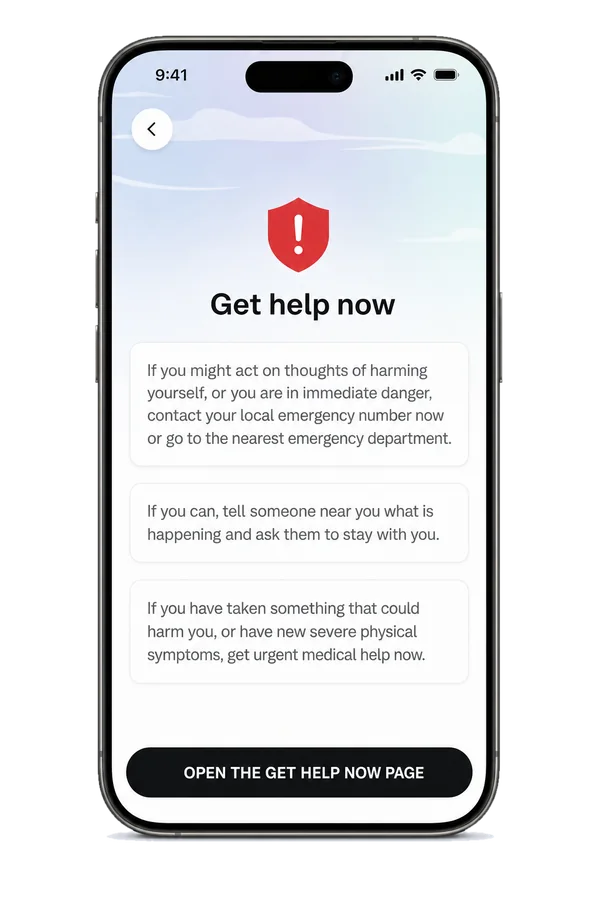
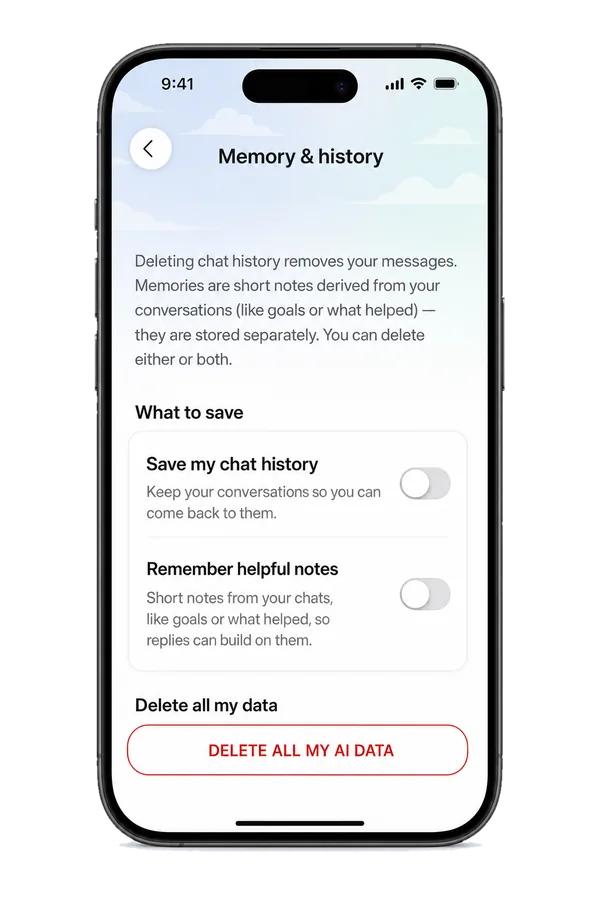

A few plain facts before you start
- Your conversations are sent to an AI provider, which is what generates the replies. Nothing is published, and nothing is shared with other users.
- You can delete your AI Companion data at any time from inside the app, with “DELETE ALL MY AI DATA”.
- AI replies can be wrong. The chat reminds you: “AI replies can be wrong. Not an emergency service.”
- A “Get help now” link stays visible in the chat.
- The AI Companion is included with an active Anxiety Checklist subscription.
See how you feel
Inside the chat, the Companion can ask “How do you feel right now?”, and suggested exercises include the 1 (Panic) to 10 (Calm) check-in, so you can see what works for you.
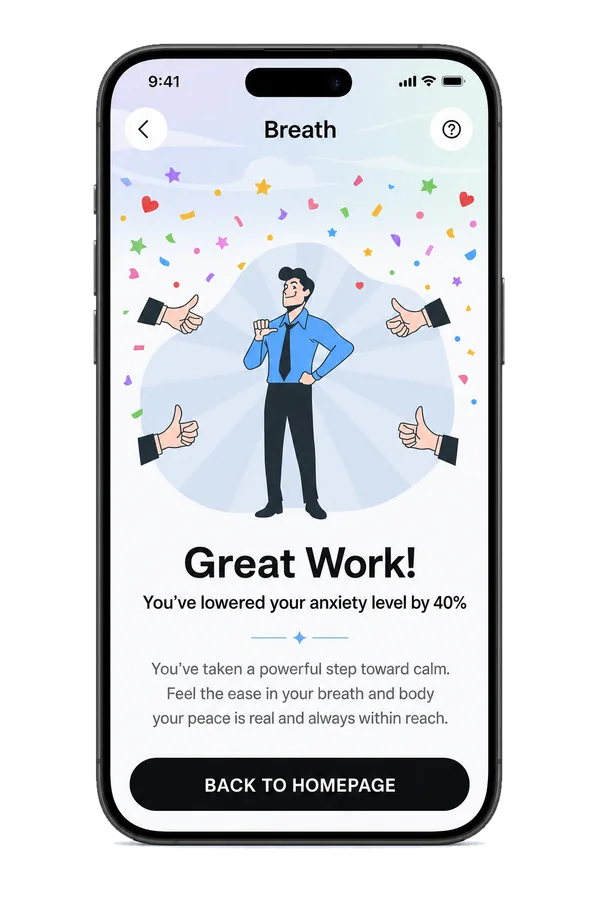
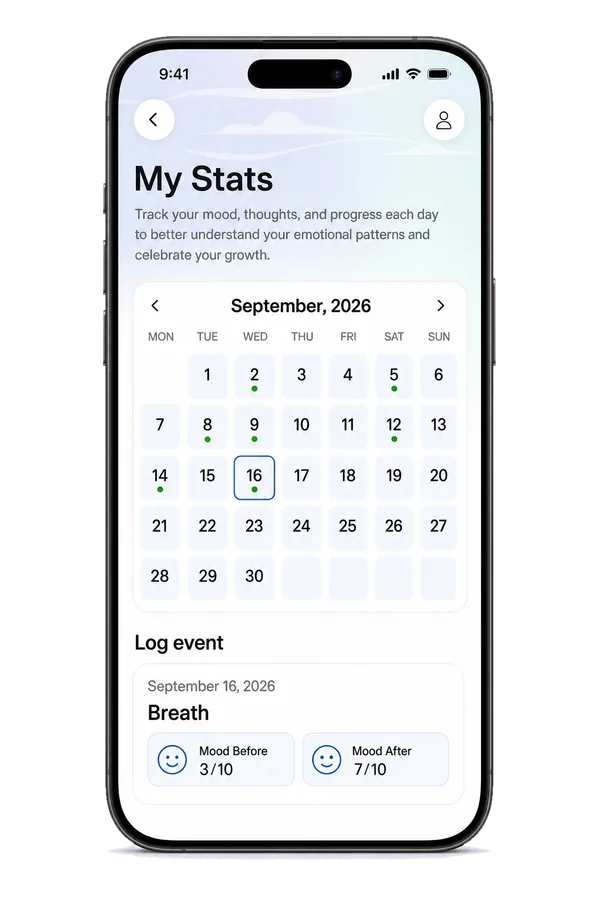
Your check-ins are saved in My Stats, which is free.
Use it alongside therapy
Many people use the Companion between sessions, to work through a thought when their therapist isn’t available. It is support, not treatment. It works best when you already have somewhere else to go with the heavy things.


- The AI Companion is support, not treatment.
- It works best when you already have somewhere else to go with the heavy things.
- If you are in crisis, close it and use Get help now.
Tools it can open for you




Questions people ask
Is the AI Companion therapy?
No. It is a self-help tool that uses techniques drawn from Cognitive Behavioral Therapy. Therapy is a relationship with a trained, accountable human being, and this is not that. It can sit alongside therapy, and many people use it between sessions, but it does not replace it.
Will it tell me what is wrong with me?
No. It does not diagnose, it does not score you and it does not label you. If you want a structured self-assessment you can take a validated anxiety test, and if you want a diagnosis you need a clinician.
What happens to what I type?
Your messages are sent to an AI provider so a reply can be generated. If you choose to save your chat history, your conversation is stored in your account so you can come back to it. You can delete your AI Companion data at any time from the app.
Does it remember me between conversations?
Only if you allow it. Memory is off by default. If you turn it on, it keeps notes on what has helped you before; you can review those notes and remove them.
What if I am in crisis?
Do not use the Companion. It is not built for emergencies and it cannot reach anyone on your behalf. Use the Get help now page for immediate support, or your local emergency number.
Can its replies be wrong?
Yes. AI replies can be wrong. Treat them as suggestions to think about, not instructions or advice.
Do I need a subscription?
Yes. The AI Companion is part of an active Anxiety Checklist subscription, like the rest of the app’s Premium tools. Premium starts with a free trial.
How do I start?
Open the Anxiety Checklist app and tap AI Companion. It is included with an active subscription, so there is nothing extra to buy.
Get the Anxiety Checklist app
Start with a Premium free trial. Stay in control. No pressure.
Free core tools · Premium free trial