The Panic Attack App With a Free SOS Button
When panic hits, it’s hard to think. Tap SOS and the app guides you through it, one calm step at a time.
- Always one tap away, on every screen
- Calming affirmations in a real human voice
- Free forever. No sign-up.



Help for the moment panic hits
A panic attack can make your heart pound, your chest tighten and your thoughts race. It can feel like you’re losing control. It’s frightening, and it passes. Learn what a panic attack is.
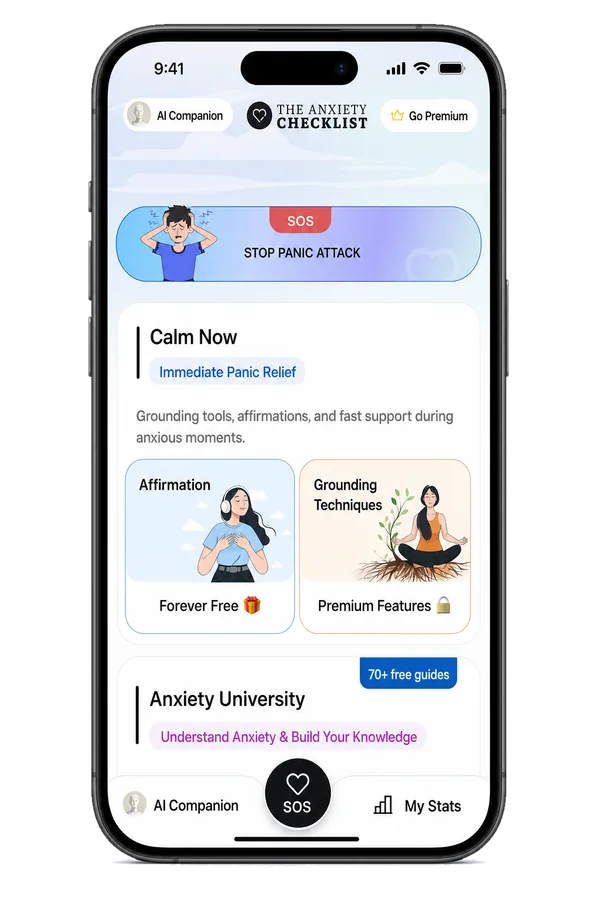
SOS is the app’s panic button. It sits in the middle of the bottom bar on every screen, so you can find it without thinking. It doesn’t ask you to fix anything. It helps you get through the next few minutes.
How SOS works
No menus to search. No decisions to make. Just follow along.
Step 1: Tap SOS
Tap the black SOS button at the bottom of any screen, or the “SOS / STOP PANIC ATTACK” banner on Home.
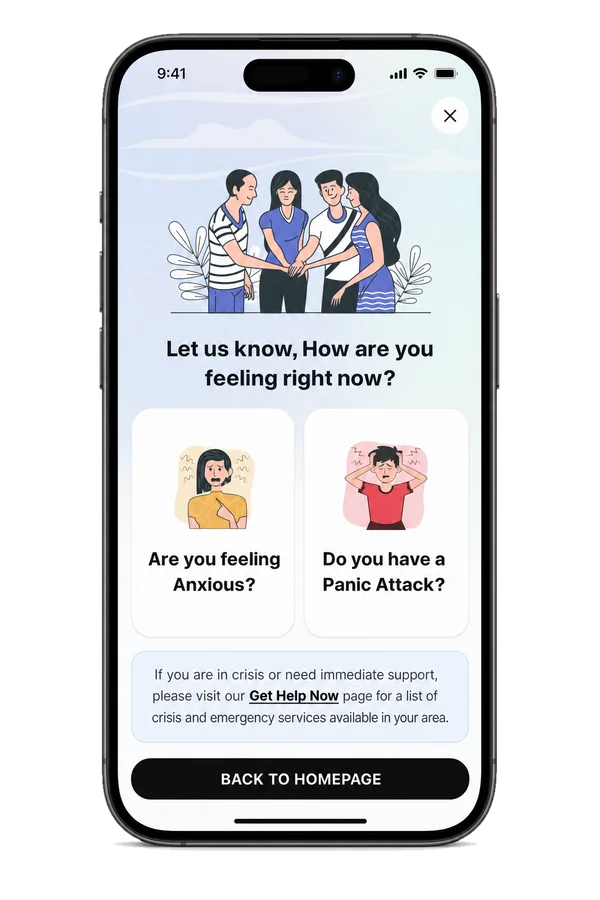
Step 2: “Let us know, How are you feeling right now?”
Pick one of two cards: “Are you feeling Anxious?” or “Do you have a Panic Attack?”
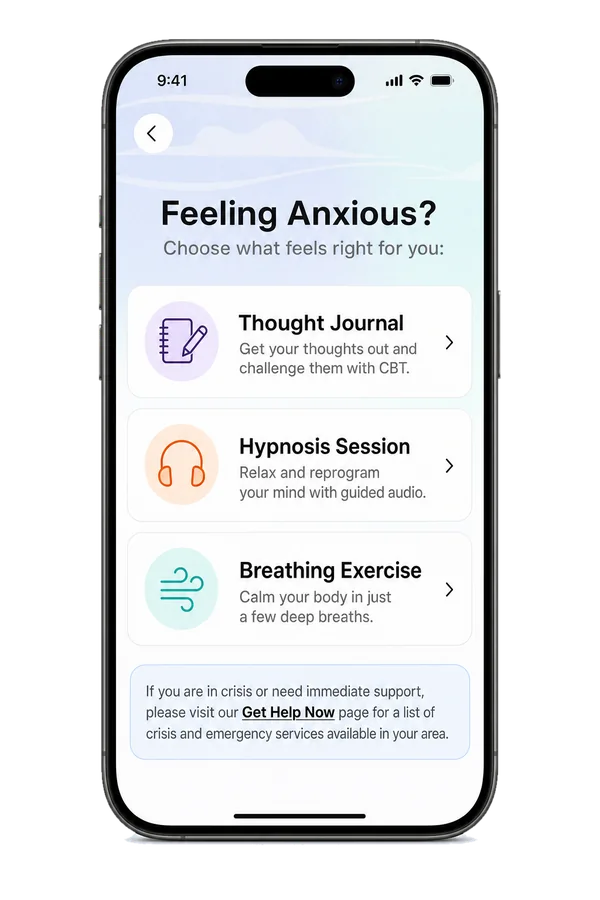
Step 3: If you’re feeling anxious
Choose what feels right for you: the Thought Journal (free), a Hypnosis Session or a Breathing Exercise.
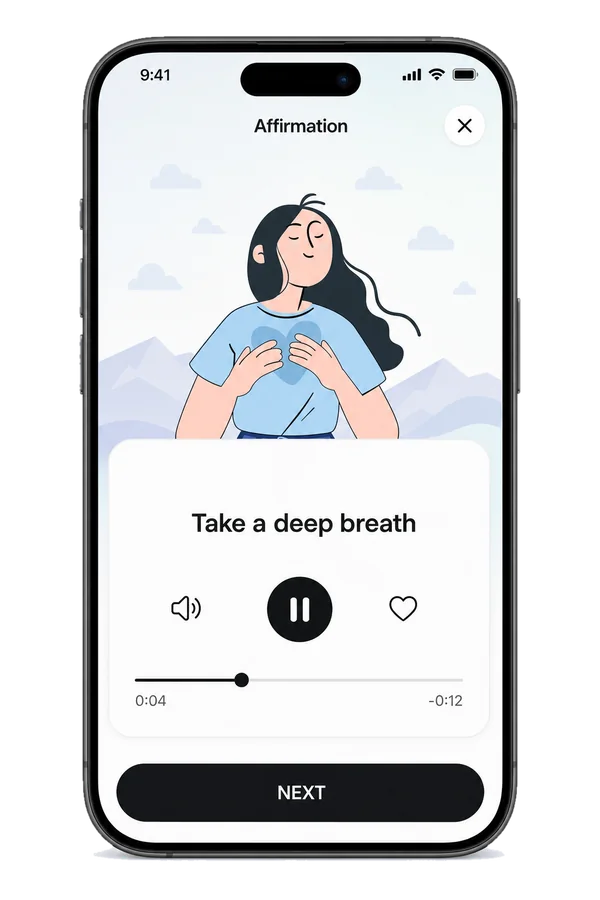
Step 4: If it’s a panic attack
Calming affirmations play one by one, in a steady human voice. Listen, breathe, and tap NEXT when you’re ready.
Step 5: “Has the panic ended?”
Tap YES or NO. There’s no wrong answer.
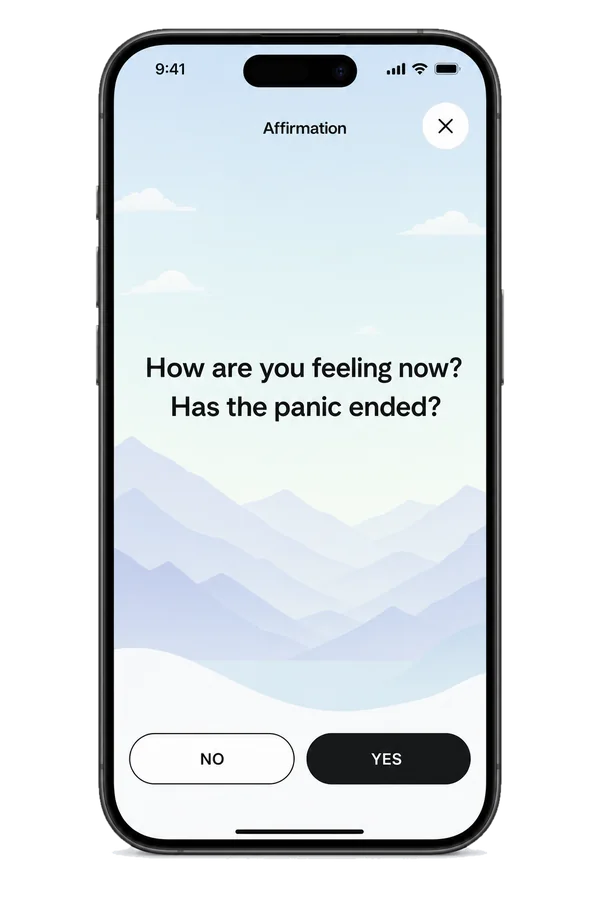
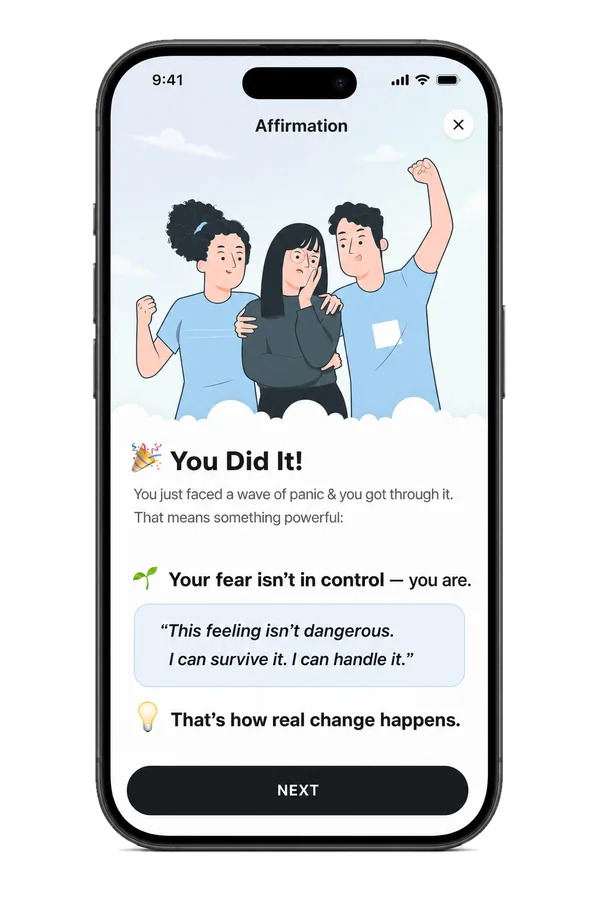
Step 6: YES: “🎉 You Did It!”
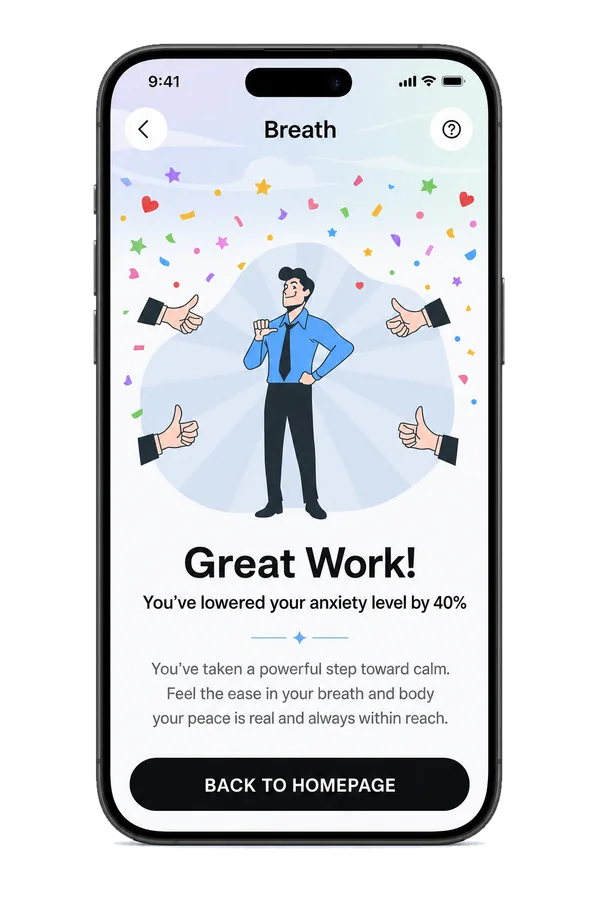
“You just faced a wave of panic & you got through it.” Then rate how you feel now.
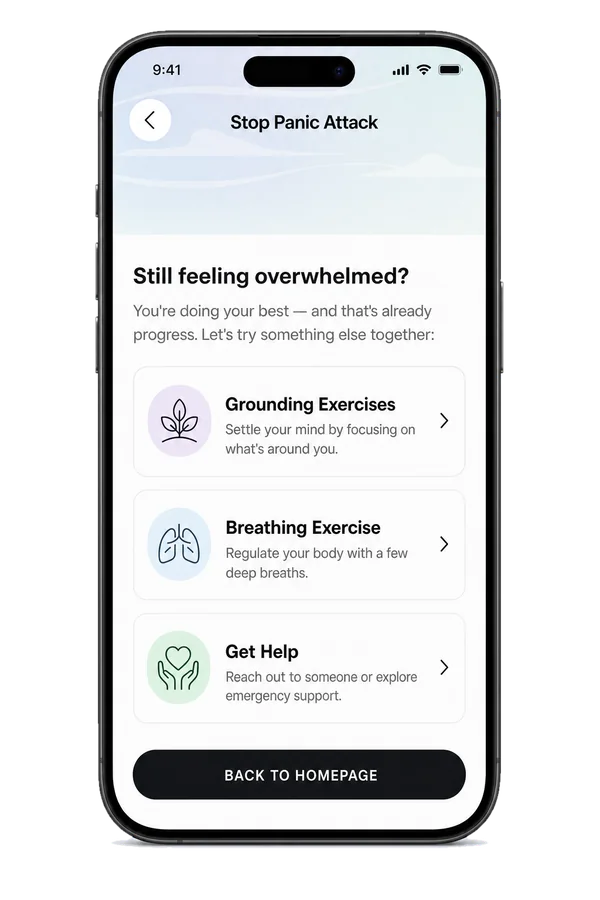
Step 7: NO: “Still feeling overwhelmed?”
“You’re doing your best — and that’s already progress.” The app offers more to try: Get Help, a Hypnosis Session, the Thought Journal, a Breathing Exercise or Grounding Exercises.
SOS and the Thought Journal are free. Hypnosis, breathing and grounding are part of Premium, with a free trial.
 SOS and the Thought Journal are free. Hypnosis, breathing and grounding are part of Premium, with a free trial.
What’s inside
The SOS button
On every screen, always in the same place.
Panic Attack Relief affirmations
Free forever. Voiced by Simon Candlish, a real human voice, not AI.
Favorites
Tap the heart on the affirmations that help most. They show first next time.
A path for anxious moments
Quick links to the Thought Journal, a breathing exercise or a hypnosis session.
A path if panic doesn’t pass
More options to try, plus a Get Help link.
A moment to celebrate
“🌱 Your fear isn’t in control — you are.”






Hear Simon Candlish, the voice of the SOS affirmations.

Listen to the Therapist Voice
Simon Candlish
Why it helps when your mind goes blank
“This feeling isn’t dangerous. I can survive it. I can handle it.”
During panic, your body’s alarm system, the fight-or-flight response, switches on. Your heart pounds and your thoughts race. Trying to reason your way out rarely works in that moment.
SOS gives you something simple to follow instead. A calm voice gives your attention somewhere to rest. Short sentences remind you that the feeling is uncomfortable, not dangerous, and that it will pass.
Each time you get through a panic attack, you collect proof that you can. For many people, that proof slowly makes the fear of panic smaller.
- No decisions to make
- A steady voice to hold on to
- A reminder that the wave will pass
- A win to remember next time

Check in. See what works for you.
Rate how you feel from 1 (Panic) to 10 (Calm), and see what works for you. When you answer YES to “Has the panic ended?”, you check in and see your progress.
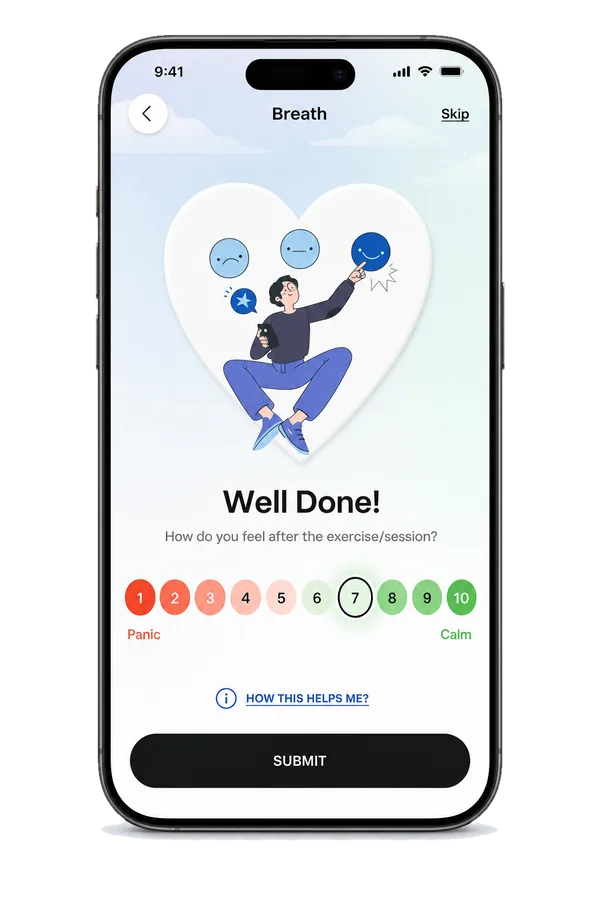
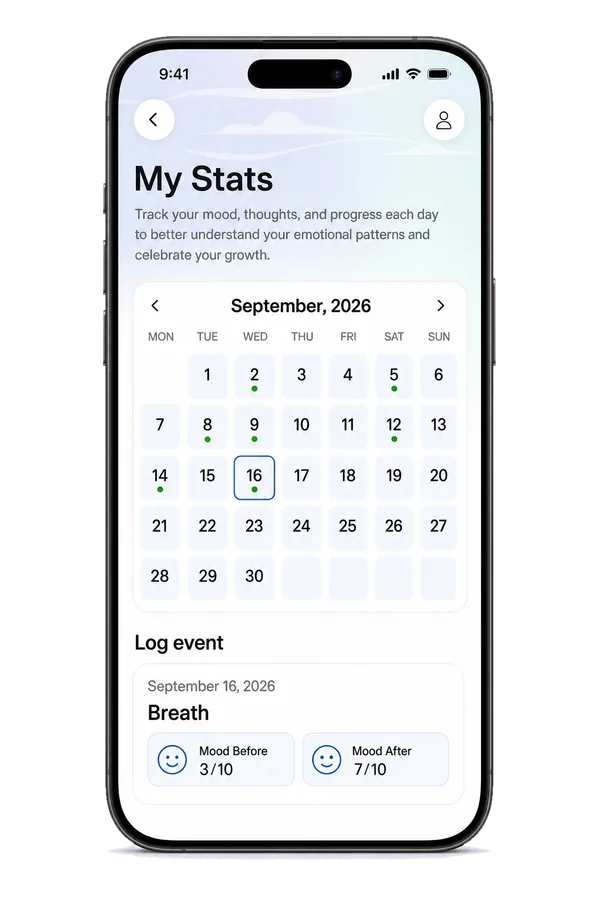
Your check-ins are saved in My Stats, which is free.

Use it alongside therapy
If you’re working on panic with a therapist, SOS can be your plan for the moment itself. The CBT tools help you practice between sessions, so panic has less to feed on.
Important
SOS is not an emergency service. If you think you may be in danger, or you’re not sure whether it’s panic or a medical problem, call your local emergency number or go to Get Help Now.
More Calm Now tools



Questions about SOS panic relief
Is the SOS panic button really free?
Yes. SOS and the Panic Attack Relief affirmations are free forever. No subscription and no account needed.
Can an app stop a panic attack?
No app can promise that. Panic attacks usually peak within minutes and then ease on their own. SOS helps you ride the wave with a calm voice and simple steps, and many people find that makes it easier to get through.
What should I do during a panic attack?
Remind yourself it’s panic and it will pass. Slow your breathing, notice what’s around you, and try not to fight the feelings. SOS guides you through these steps. Read our panic attack guide.
Do I need to sign up to use SOS?
No. Download the app, open it and tap SOS.
What if the panic doesn’t stop?
When you answer NO to “Has the panic ended?”, the app suggests other things to try and a Get Help option. If you feel unsafe, or you aren’t sure it’s panic, call your local emergency number.
Is SOS a crisis line?
No. It’s a self-help tool for panic and anxiety. For a crisis, use Get Help Now or your local emergency number.
I feel wiped out after a panic attack. Is that normal?
Yes, many people feel tired or shaky afterward. Be gentle with yourself. Read about recovering after a panic attack.
Get the app before you need it.
SOS panic relief is free forever. Download it now, so it’s ready when panic hits.
No sign-up needed. Open the app and start.